
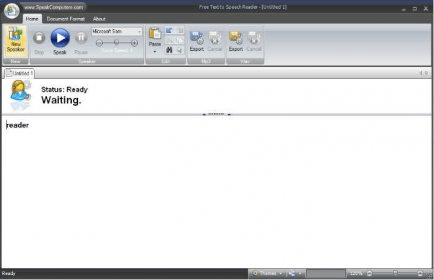
SpeakComputers Free Text to Speech 1.7 is a great program which is used for reading any text typed or selected by user. This program consists of four parts: SpeakComputer Software Reader, SpeakComputer Web Browser, SpeakComputer Mini Clipboard Speaker and SpeakComputer Parental controls. Each part has its own aim and preferences. The Software Reader reads the text that is typed by the user into a special text field. Here you can also create an MP3 or a WAV file from a text document or a selected text. The text field consists of special tabs and each of them includes only one document. It is very useful when you work with many documents at the same time. The Text to Speech Web Browser is an ordinary web browser for opening web pages. Its sole extra function is an ability to read all texts within a web page or the text you have selected. The Mini Speaker reads the text that is contained in the Windows clipboard. Just select any text, press Ctrl+C and the Mini Speaker will read it. The Parental controls is a special feature of this program wich allows filtering out words that can’t be spoken by this software.





Comments